
WIE MAN HERUNTERLÄDT THIRSTYAFFILIATES PRO
Für ThirstyAffiliates Pro muss auch das ThirstyAffiliates Basis-Plugin installiert und aktiviert werden.
Sie finden das Basis-Plugin unter https://wordpress.org/plugins/thirstyaffiliates/.
Once you purchase the ThirstyAffiliates Pro version, download the plugin’s .zip file from your Konto Seite.
Clicking the Download button below will direct you to your account page where you can download the latest stable version of the ThirstyAffiliates Pro plugin anytime. You will find the plugin’s .zip file at the bottom of the page.

WIE MAN THIRSTYAFFILIATES PRO INSTALLIERT
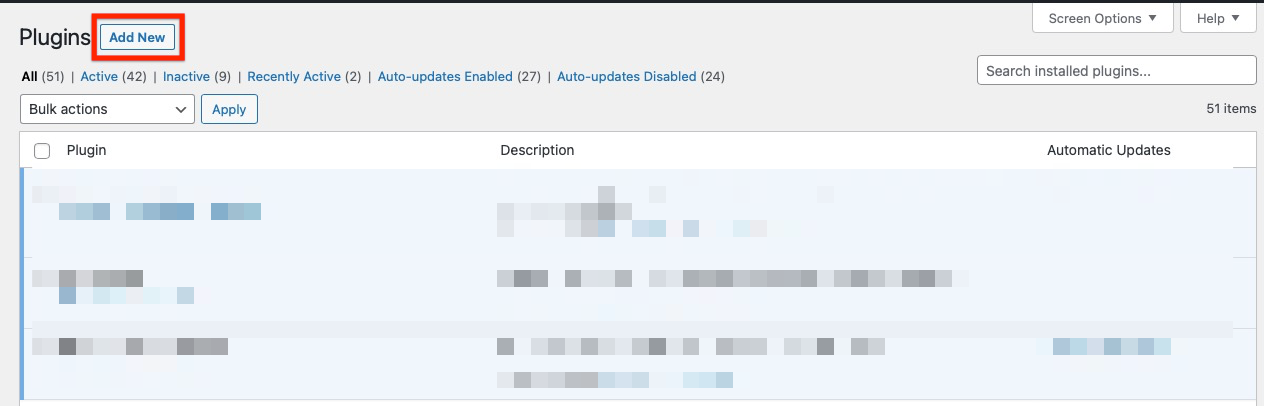
- Once you’ve downloaded the plugin’s .zip file from your Konto Seite, gehen Sie auf die Seite Plugins in Ihrem WordPress-Admin-Dashboard und klicken Sie auf die Schaltfläche "Neu hinzufügen":
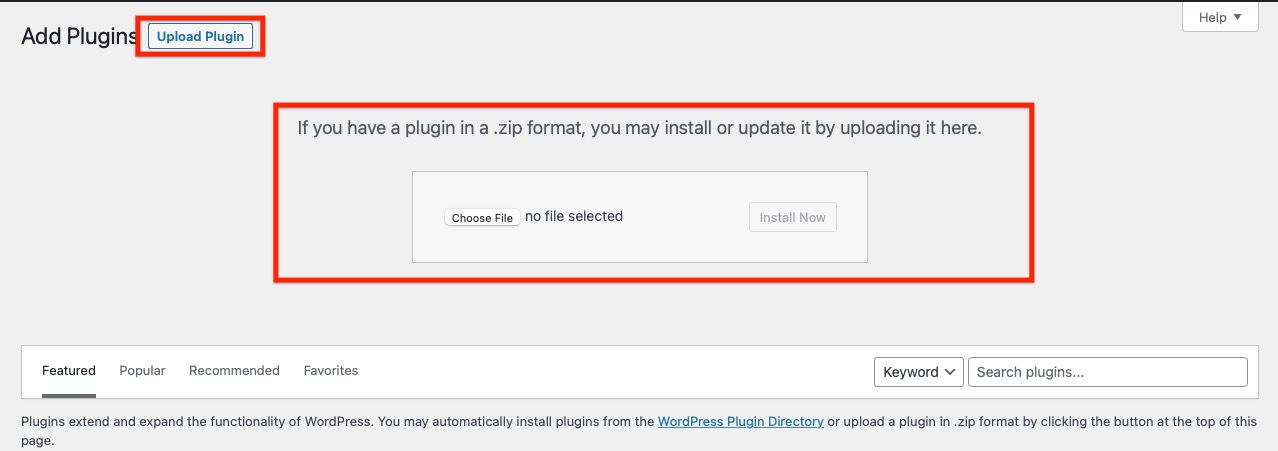
2. Hit the “Upload Plugin” button, then hit the “Choose File” button to choose the plugin’s .zip file:
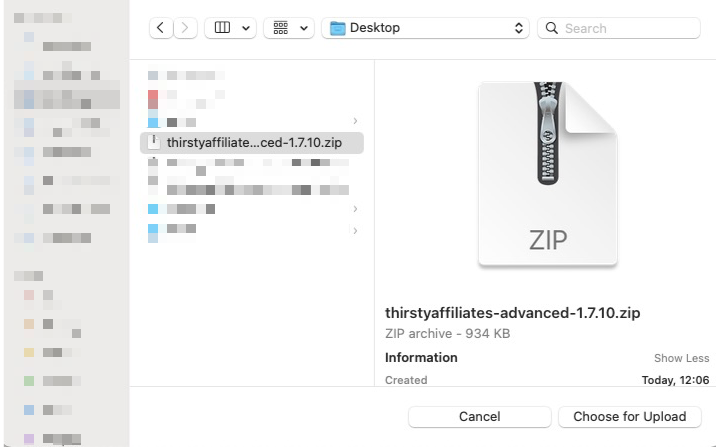
3. When the upload file dialog shows, choose the plugin’s .zip file on your computer:
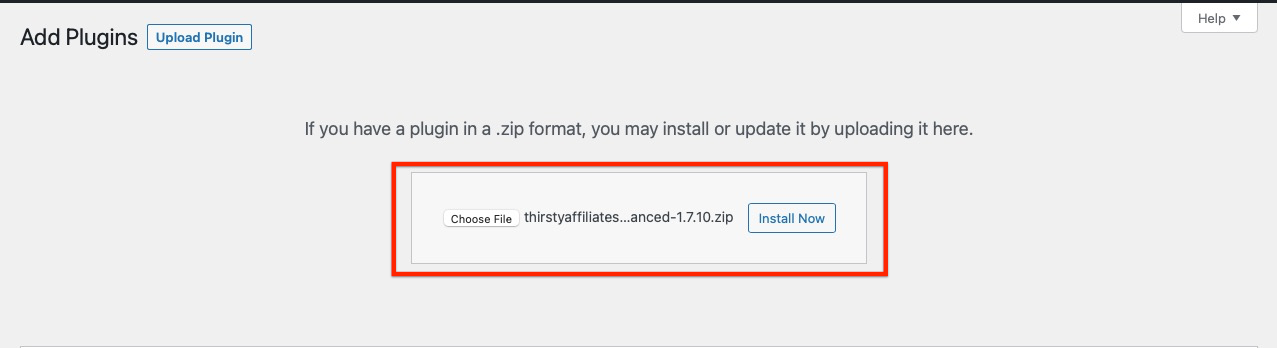
4. Klicken Sie auf die Schaltfläche "Jetzt installieren", um das Plugin zu installieren:
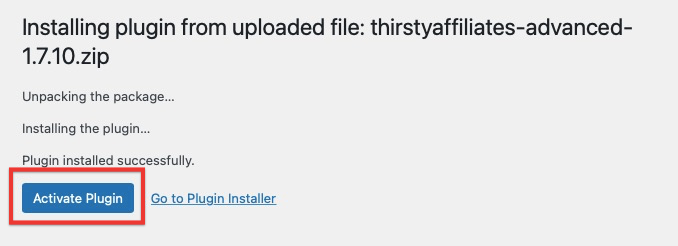
5. Nach erfolgreicher Installation klicken Sie auf die Schaltfläche "Activate Plugin", um das ThirstyAffiliates Pro Plugin zu aktivieren:
6. Sie erhalten die Erfolgsmeldung "Plugin aktiviert":
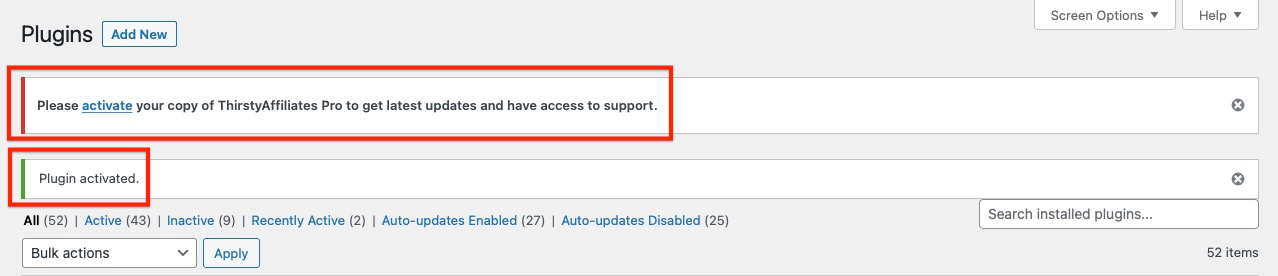
Sie müssen Ihren Lizenzschlüssel aktivieren, damit Ihre automatischen Plugin-Upgrades funktionieren:
Wie kann ich meinen Lizenzschlüssel abrufen und aktivieren?