O Automatic 404 Checker é um recurso disponível somente no ThirstyAffiliates Pro. Ele lista os problemas do link de afiliado que precisam ser resolvidos.
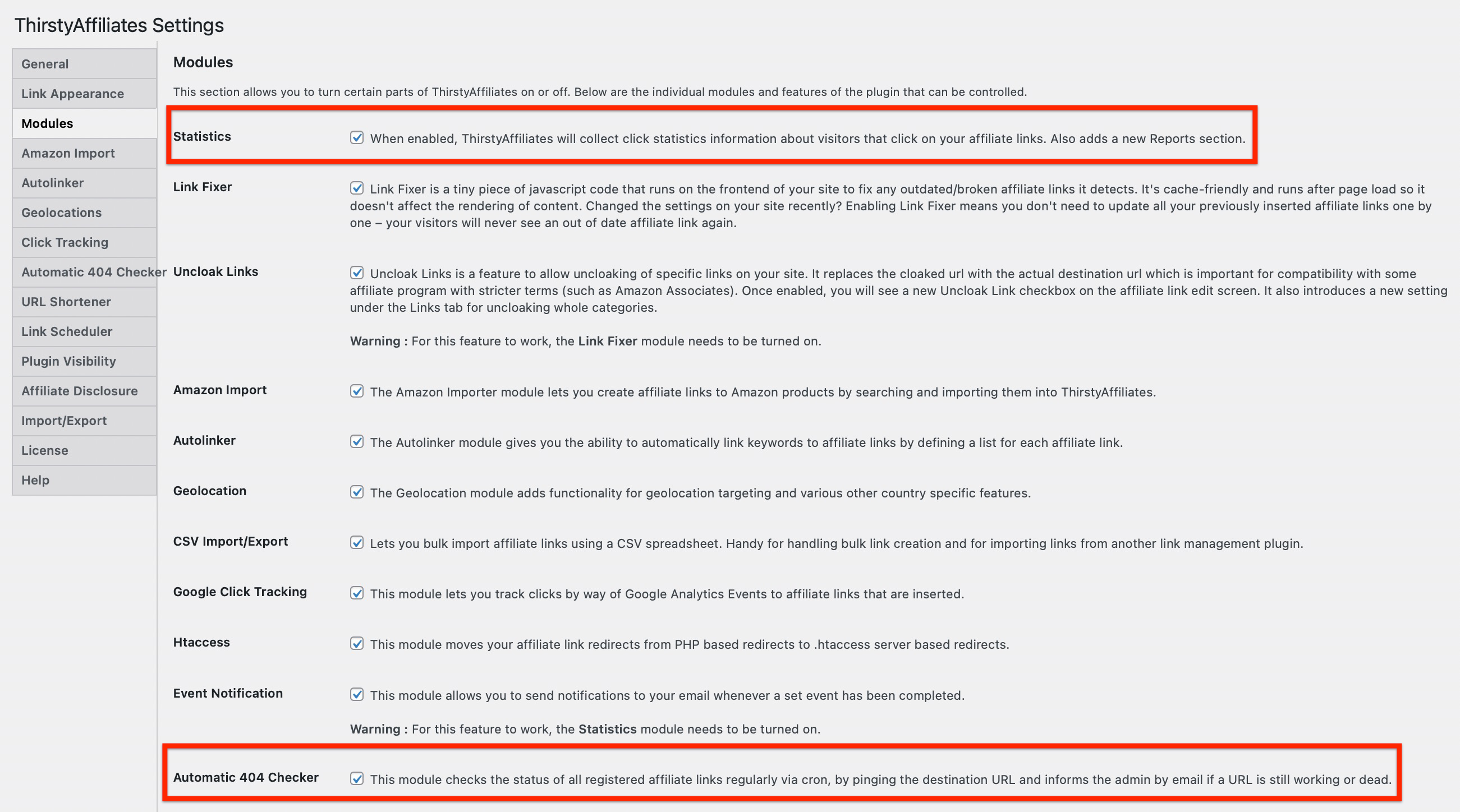
Para ativar esse recurso, certifique-se de ativar os módulos Statistics (Estatísticas) e Automatic 404 (404 automático) em TirstyAffiliates->Settings->Modules (Afiliados do Tirsty->Configurações->Módulos):
Em seguida, você encontrará o relatório Automatic 404 Checker na seção ThirstyAffiliates->Reports->404 Checker:
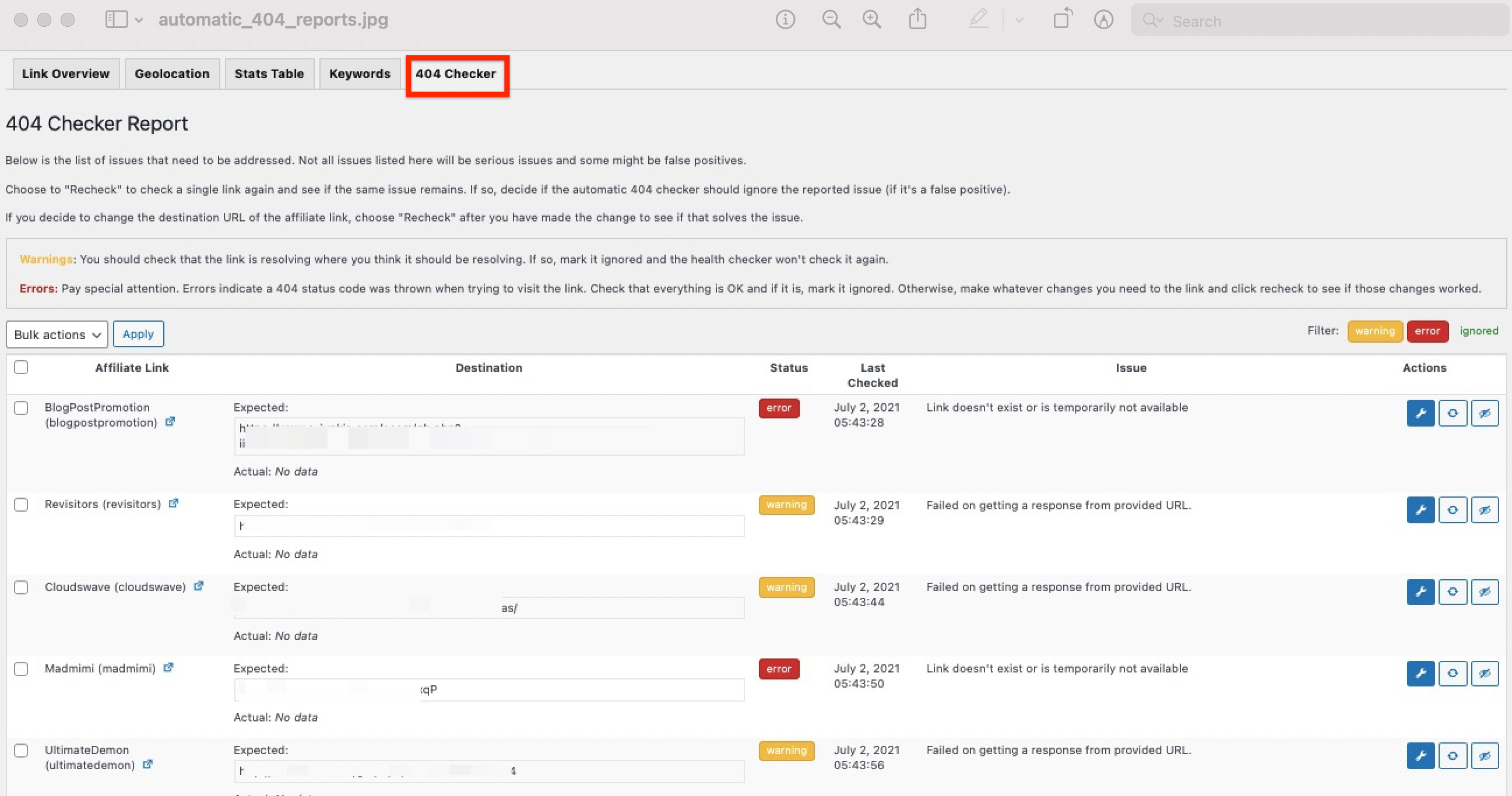
Nem todos os problemas listados no relatório serão problemas sérios e alguns podem ser falsos positivos.
If the link is resolving where you think it should be resolving, mark it ignored and it won’t be checked again.
Choose “Recheck” to check a single link again and see if the same issue remains. If so, decide if the Automatic 404 Checker should ignore the reported issue (if it’s a false positive).
Se você decidir alterar o URL de destino do link de afiliado, escolha "Recheck" (Verificar novamente) depois de fazer a alteração para ver se isso resolve o problema.
Advertências: You should check that the link is resolving where you think it should be resolving. If so, mark it ignored and the health checker won’t check it again.
Erros: Preste atenção especial. Os erros indicam que um código de status 404 foi exibido ao tentar acessar o link. Verifique se tudo está OK e, se estiver, marque-o como ignorado. Caso contrário, faça as alterações necessárias no link e clique em verificar novamente para ver se essas alterações funcionaram.
OBSERVAÇÃO: Certifique-se de que o WordPress Cron funcione em seu site.
SOLUÇÃO DE PROBLEMAS:
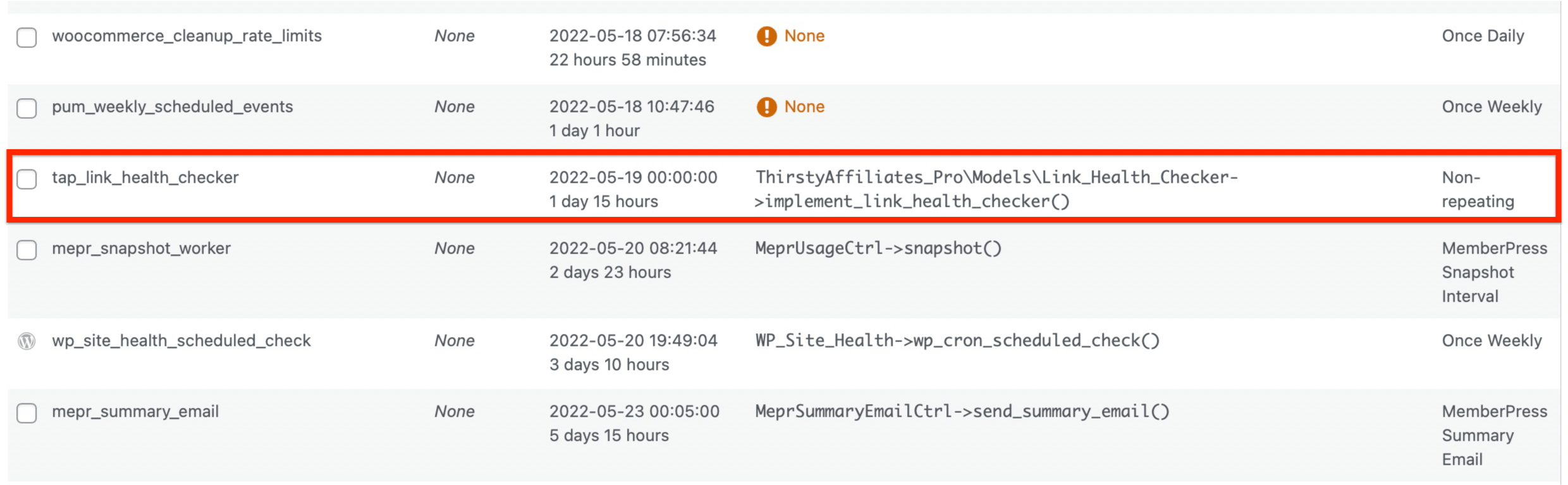
Se o Automatic 404 Checker não estiver funcionando, pergunte à empresa de hospedagem se o cron está ativado em seu site. Você também pode instalar o Controle de WP e veja se encontra o tap_link_health_checker na guia Cron Events: