
COMO FAZER O DOWNLOAD THIRSTYAFFILIATES PRO
O ThirstyAffiliates Pro também requer que o plug-in básico do ThirstyAffiliates seja instalado e ativado.
Você pode encontrar o plug-in básico em https://wordpress.org/plugins/thirstyaffiliates/.
Once you purchase the ThirstyAffiliates Pro version, download the plugin’s .zip file from your Conta página.
Clicking the Download button below will direct you to your account page where you can download the latest stable version of the ThirstyAffiliates Pro plugin anytime. You will find the plugin’s .zip file at the bottom of the page.

COMO INSTALAR O THIRSTYAFFILIATES PRO
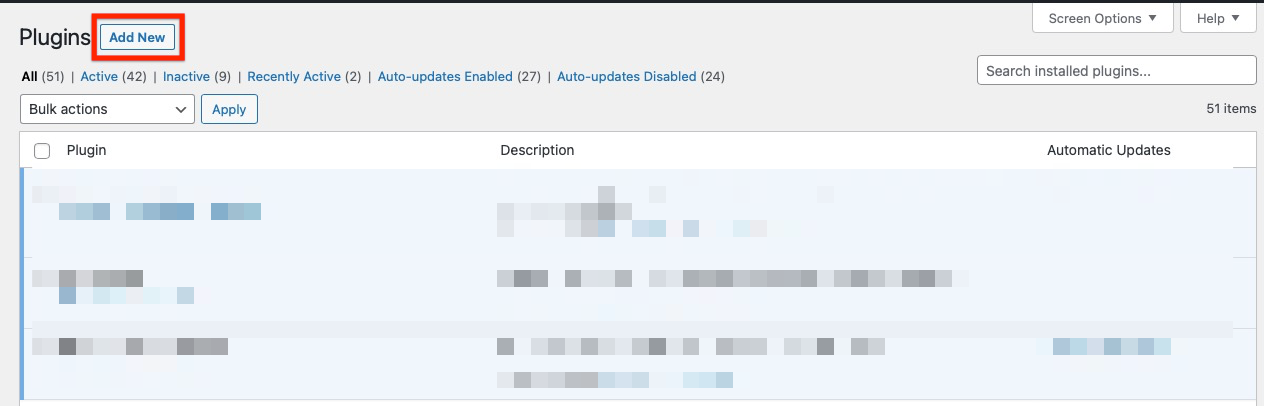
- Once you’ve downloaded the plugin’s .zip file from your Conta vá para a página Plugins no painel de administração do WordPress e clique no botão "Add New" (Adicionar novo):
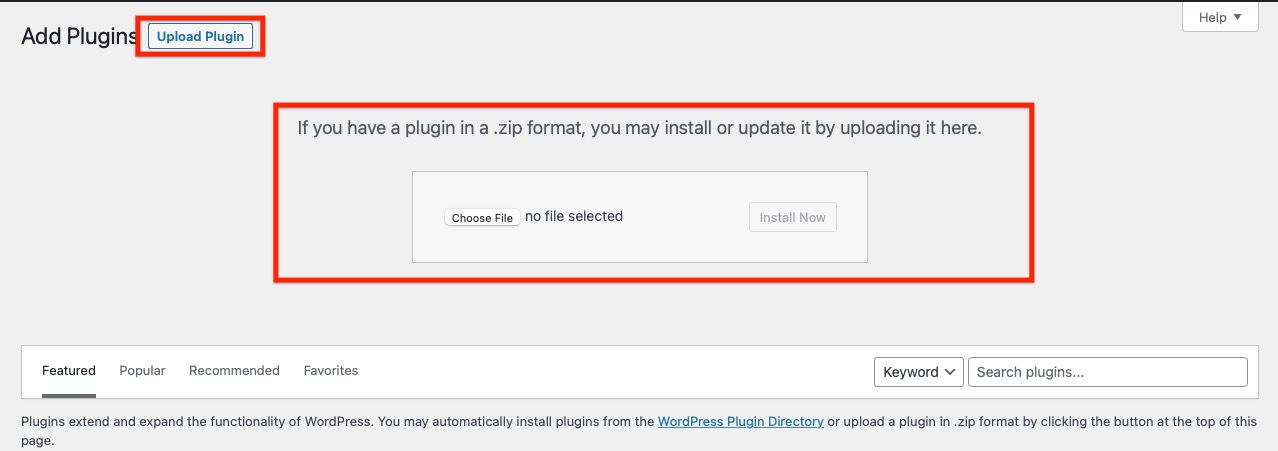
2. Hit the “Upload Plugin” button, then hit the “Choose File” button to choose the plugin’s .zip file:
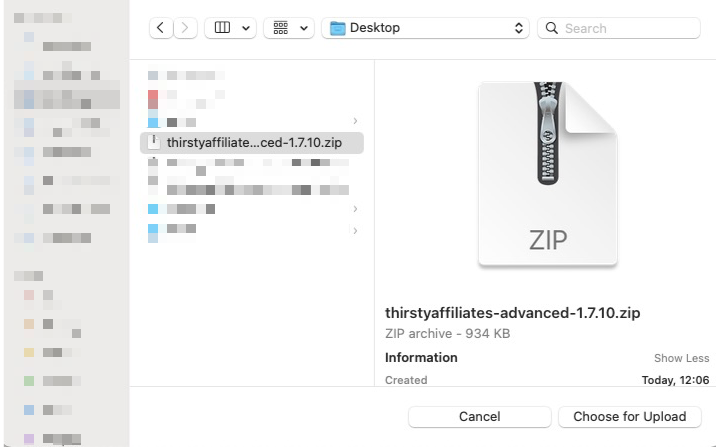
3. When the upload file dialog shows, choose the plugin’s .zip file on your computer:
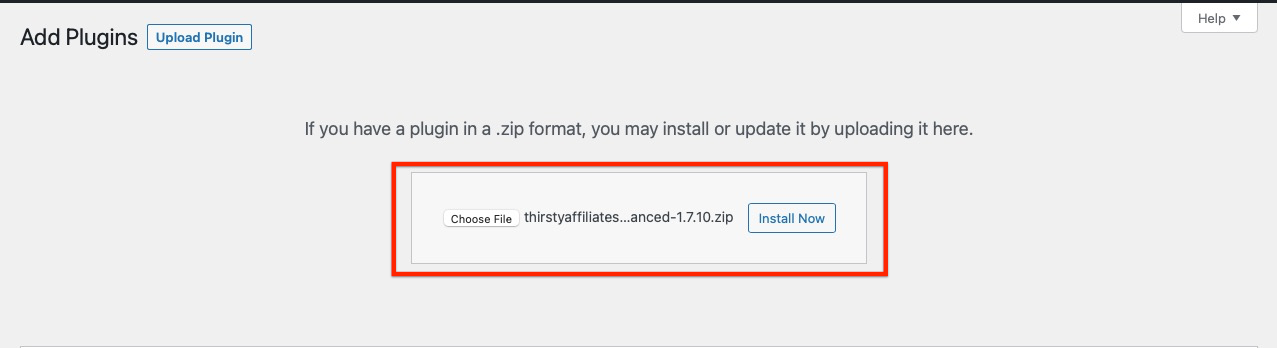
4. Pressione o botão "Install Now" (Instalar agora) para instalar o plug-in:
5. Após a instalação bem-sucedida, clique no botão "Activate Plugin" (Ativar plug-in) para ativar o plug-in ThirstyAffiliates Pro:
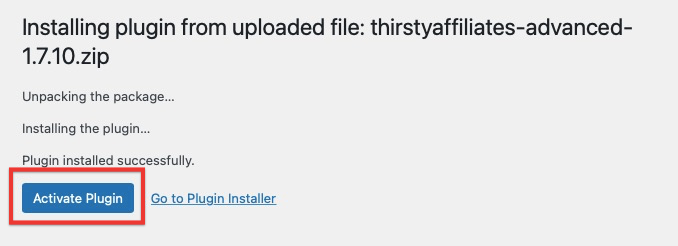
6. Você verá a mensagem de sucesso "Plugin activated" (Plugin ativado):
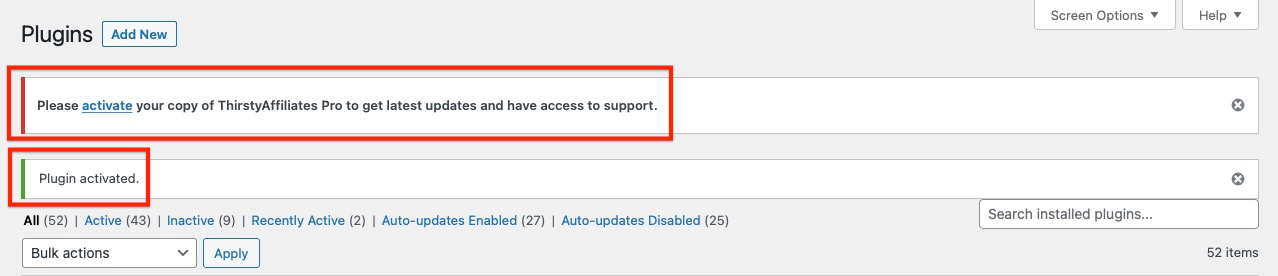
Você precisará ativar sua chave de licença para que as atualizações automáticas do plug-in funcionem:
Como faço para recuperar e ativar minha chave de licença?